

Overview
Welcome to Lead Pursuits, your comprehensive platform for discovering, tracking, and pursuing government contract opportunities. The platform is powered by Google Looker, enabling flexible data exploration, filtering, and visualization. This quick start guide will help you understand the main interface, key features, and direct you to detailed instructions for specific tasks.
Logging into Lead Pursuits
After signing up, you will receive an email with your account credentials and a link to access the platform.
- Navigate to the Lead Pursuits login page.
- Enter your username and password provided via email.
- Click Log In to access the platform.
Upon successful login, the system will redirect to the home page, where you can access all available dashboards, tools, and features.
Platform Layout
After logging in, the main interface includes:
Welcome Dashboard
- This is your default landing page, providing an overview of the platform and immediate access to dashboards and features.
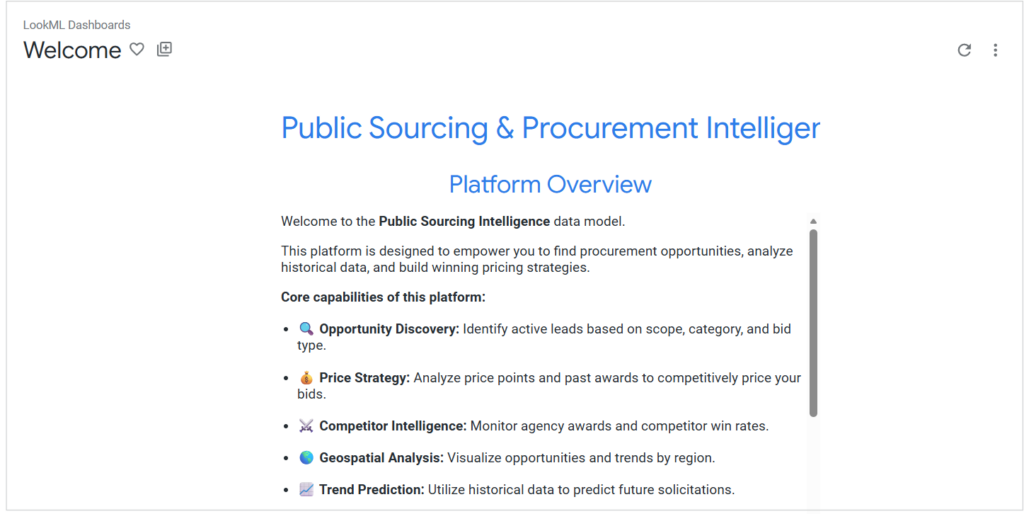
Figure 1 : Welcome dashboard
Side Navigation Menu
- Explore: Access your data sources and analyze opportunities and agencies.
- Conversations: Interact with the AI agents for insights and analysis.
- Home: Open the Welcome Dashboard at any time.
- Recently Viewed: Quickly access dashboards or boards you have recently viewed.
- Favorites: Save your most-used dashboards, boards, or folders for easy access.
- Boards: Organize dashboards and insights into boards for better management.
- Folders: Manage and navigate folders containing your dashboards.
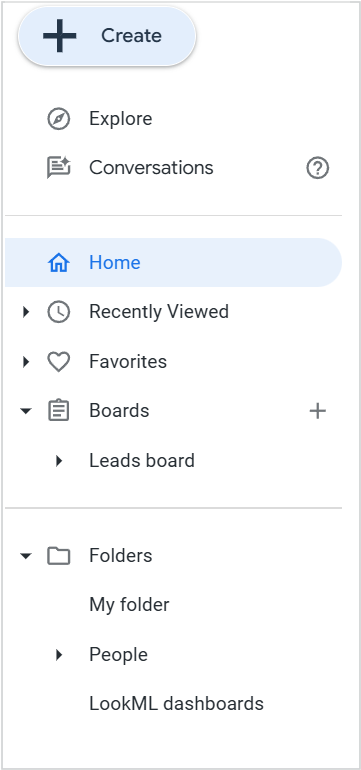
Figure 2 : Navigation menu options
What You Can Do in Lead Pursuits
Lead Pursuits provides powerful tools to help you find and track government contract opportunities. Here are the main capabilities:
View and Explore Default Dashboards
Access pre-configured dashboards that provide immediate insights into available opportunities, agencies, and lead details. These dashboards are ready to use without any setup.
Learn more: Understanding the Leads Dashboard, Agencies Dashboard, Lead Details Dashboard
Filter and Search for Opportunities
Apply filters to narrow down opportunities based on posted date, agency, category, location, budget, and more. Find the leads that match your business focus.
Learn more: Filtering Leads Effectively
Create Custom Dashboards
Build personalized dashboards tailored to your specific needs. Choose your data sources, select the metrics that matter to you, and visualize your data with charts, tables, and graphs.
Learn more: Creating Your Own Dashboard
Set Up Automated Alerts
Configure alerts to notify you when new opportunities matching your criteria are posted.
Learn more: Setting Up Alerts
Schedule Dashboard Delivery
Automate regular report delivery to your inbox or team members.
Learn more: Scheduling Dashboard Delivery
Use AI-Powered Conversations
Explore your data using natural language questions. Create agents configured for specific analysis tasks or start direct conversations to get instant insights and visualizations.
Learn more: Using the Conversations Tool to Explore Data
Contact Us
For further assistance, Contact Us.